
Introducción
En la parte 1 se realizo un análisis general del dispositivo a nivel de hardware, y se obtuvo una conectividad a traves del protocolo UART obteniendo así acceso a una consola desprotegida y un shell con altos privilegios.
Ahora usted realizará el reconocimiento de los puertos y servicios, algo fundamental que necesitará para buscar vulnerabilidades, desde la parte no fisica, teniendo un punto probable de vulnerabilidad puede hacer uso del acceso fisico al dispositivo para reversar los binarios y probablemente hasta usar un depurador, pero una cosa a la vez.
Identificación de puertos y servicios.
Lo primero que debe hacer una vez iniciado el mini router es conectarse a la red inhalambrica, las instrucciones de conexion vienen al respaldo de la carcasa del dispositivo.
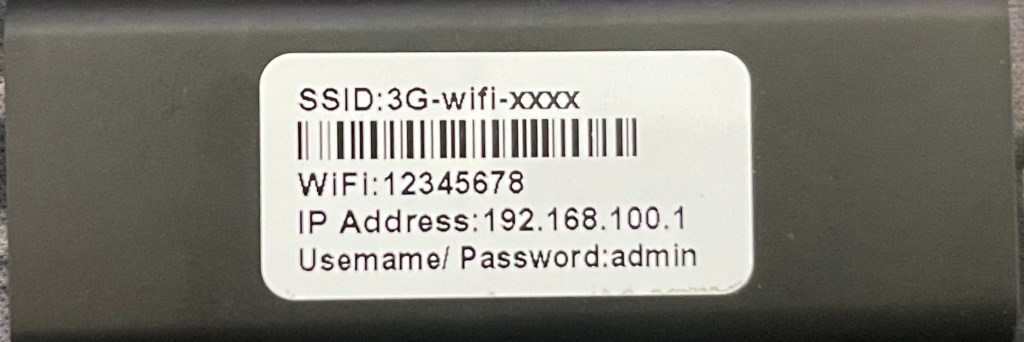
Una vez conectado a la red WIFI estará en el direccionamiento por defecto 192.168.100.0/24
Puede usar NMAP contra el la dirección IP principal del router 192.168.100.1, se usará un comando exhaustivos para ver todo lo que haya desde TCP y UDP.
sudo nmap -T4 -A -sV -sC -O 192.168.100.1 -p-
Starting Nmap 7.91 ( https://nmap.org ) at 2023-07-21 10:52 -05
Nmap scan report for 192.168.100.1
Host is up (0.0021s latency).
Not shown: 65530 closed ports
PORT    STATE SERVICE     VERSION
23/tcp  open  telnet      NASLite-SMB/Sveasoft Alchemy firmware telnetd
53/tcp  open  domain      dnsmasq 2.40
| dns-nsid:
|_  bind.version: dnsmasq-2.40
80/tcp  open  http        3GRouter-Webs
| fingerprint-strings:
|   FourOhFourRequest:
|     HTTP/1.1 401 Unauthorized
|     Server: 3GRouter-Webs
|     Date: Sat Jan 1 08:07:22 2000
|     WWW-Authenticate: Basic realm="4G/3G-Router"
|     Pragma: no-cache
|     Cache-Control: no-cache
|     Content-Type: text/html
|     <html><head><title>Document Error: Unauthorized</title></head>
|     <body><h2>Access Error: Unauthorized</h2>
|     <p>Access to this document requires a User ID</p></body></html>
|   GetRequest:
|     HTTP/1.1 401 Unauthorized
|     Server: 3GRouter-Webs
|     Date: Sat Jan 1 08:07:17 2000
|     WWW-Authenticate: Basic realm="4G/3G-Router"
|     Pragma: no-cache
|     Cache-Control: no-cache
|     Content-Type: text/html
|     <html><head><title>Document Error: Unauthorized</title></head>
|     <body><h2>Access Error: Unauthorized</h2>
|     <p>Access to this document requires a User ID</p></body></html>
|   HTTPOptions, RTSPRequest:
|     HTTP/1.1 400 Page not found
|     Server: 3GRouter-Webs
|     Date: Sat Jan 1 08:07:17 2000
|     Pragma: no-cache
|     Cache-Control: no-cache
|     Content-Type: text/html
|     <html><head><title>Document Error: Page not found</title></head>
|     <body><h2>Access Error: Page not found</h2>
|     <p>Bad request type</p></body></html>
|   Help:
|     HTTP/1.1 400 Page not found
|     Server: 3GRouter-Webs
|     Date: Sat Jan 1 08:07:42 2000
|     Pragma: no-cache
|     Cache-Control: no-cache
|     Content-Type: text/html
|     <html><head><title>Document Error: Page not found</title></head>
|     <body><h2>Access Error: Page not found</h2>
|_    <p>Bad request type</p></body></html>
| http-auth:
| HTTP/1.1 401 Unauthorized\x0D
|_  Basic realm=4G/3G-Router
|_http-server-header: 3GRouter-Webs
|_http-title: Document Error: Unauthorized
139/tcp open  netbios-ssn Samba smbd 3.X - 4.X (workgroup: M1)
445/tcp open  netbios-ssn Samba smbd 3.X - 4.X (workgroup: M1)
1 service unrecognized despite returning data. If you know the service/version, please submit the following fingerprint at https://nmap.org/cgi-bin/submit.cgi?new-service :
SF-Port80-TCP:V=7.91%I=7%D=7/21%Time=64BAA9DF%P=x86_64-apple-darwin20.1.0%
SF:r(GetRequest,178,"HTTP/1\.1\x20401\x20Unauthorized\r\nServer:\x203GRout
SF:er-Webs\r\nDate:\x20Sat\x20Jan\x20\x201\x2008:07:17\x202000\r\nWWW-Auth
SF:enticate:\x20Basic\x20realm=\"4G/3G-Router\"\r\nPragma:\x20no-cache\r\n
SF:Cache-Control:\x20no-cache\r\nContent-Type:\x20text/html\r\n\r\n<html><
SF:head><title>Document\x20Error:\x20Unauthorized</title></head>\r\n\t\t<b
SF:ody><h2>Access\x20Error:\x20Unauthorized</h2>\r\n\t\t<p>Access\x20to\x2
SF:0this\x20document\x20requires\x20a\x20User\x20ID</p></body></html>\r\n\
SF:r\n")%r(HTTPOptions,136,"HTTP/1\.1\x20400\x20Page\x20not\x20found\r\nSe
SF:rver:\x203GRouter-Webs\r\nDate:\x20Sat\x20Jan\x20\x201\x2008:07:17\x202
SF:000\r\nPragma:\x20no-cache\r\nCache-Control:\x20no-cache\r\nContent-Typ
SF:e:\x20text/html\r\n\r\n<html><head><title>Document\x20Error:\x20Page\x2
SF:0not\x20found</title></head>\r\n\t\t<body><h2>Access\x20Error:\x20Page\
SF:x20not\x20found</h2>\r\n\t\t<p>Bad\x20request\x20type</p></body></html>
SF:\r\n\r\n")%r(RTSPRequest,136,"HTTP/1\.1\x20400\x20Page\x20not\x20found\
SF:r\nServer:\x203GRouter-Webs\r\nDate:\x20Sat\x20Jan\x20\x201\x2008:07:17
SF:\x202000\r\nPragma:\x20no-cache\r\nCache-Control:\x20no-cache\r\nConten
SF:t-Type:\x20text/html\r\n\r\n<html><head><title>Document\x20Error:\x20Pa
SF:ge\x20not\x20found</title></head>\r\n\t\t<body><h2>Access\x20Error:\x20
SF:Page\x20not\x20found</h2>\r\n\t\t<p>Bad\x20request\x20type</p></body></
SF:html>\r\n\r\n")%r(FourOhFourRequest,178,"HTTP/1\.1\x20401\x20Unauthoriz
SF:ed\r\nServer:\x203GRouter-Webs\r\nDate:\x20Sat\x20Jan\x20\x201\x2008:07
SF::22\x202000\r\nWWW-Authenticate:\x20Basic\x20realm=\"4G/3G-Router\"\r\n
SF:Pragma:\x20no-cache\r\nCache-Control:\x20no-cache\r\nContent-Type:\x20t
SF:ext/html\r\n\r\n<html><head><title>Document\x20Error:\x20Unauthorized</
SF:title></head>\r\n\t\t<body><h2>Access\x20Error:\x20Unauthorized</h2>\r\
SF:n\t\t<p>Access\x20to\x20this\x20document\x20requires\x20a\x20User\x20ID
SF:</p></body></html>\r\n\r\n")%r(Help,136,"HTTP/1\.1\x20400\x20Page\x20no
SF:t\x20found\r\nServer:\x203GRouter-Webs\r\nDate:\x20Sat\x20Jan\x20\x201\
SF:x2008:07:42\x202000\r\nPragma:\x20no-cache\r\nCache-Control:\x20no-cach
SF:e\r\nContent-Type:\x20text/html\r\n\r\n<html><head><title>Document\x20E
SF:rror:\x20Page\x20not\x20found</title></head>\r\n\t\t<body><h2>Access\x2
SF:0Error:\x20Page\x20not\x20found</h2>\r\n\t\t<p>Bad\x20request\x20type</
SF:p></body></html>\r\n\r\n");
MAC Address: 2C:67:FB:57:55:D8 (ShenZhen Zhengjili Electronics)
Device type: general purpose
Running: Linux 2.6.X
OS CPE: cpe:/o:linux:linux_kernel:2.6
OS details: Linux 2.6.13 - 2.6.32
Network Distance: 1 hop
Service Info: Host: M1

Host script results:
|_nbstat: NetBIOS name: M1, NetBIOS user: <unknown>, NetBIOS MAC: <unknown> (unknown)
|_smb2-time: Protocol negotiation failed (SMB2)

TRACEROUTE
HOP RTT     ADDRESS
1   2.11 ms 192.168.100.1

OS and Service detection performed. Please report any incorrect results at https://nmap.org/submit/ .
Nmap done: 1 IP address (1 host up) scanned in 140.42 seconds
El resultado nos entrega 3 puertos TCP y x puertos UDP
| Puerto | Servicio |
|---|---|
| 23 | TCP/open telnet NASLite-SMB/Sveasoft Alchemy firmware telnetd |
| 53 | TCP/open domain dnsmasq 2.40 |
| 80 | TCP/open http 3GRouter-Webs |
Acceso Servicio Telnet
El servicio de administración telnet esta habilitado, cuando prueba acceso con las credenciales por defecto: admin:admin tendra acceso a una hermosa shell sh.
~ via ⬢ v14.15.4
ﲵ telnet 192.168.100.1
Trying 192.168.100.1...
Connected to 192.168.100.1.
Escape character is '^]'.
M1 login: admin
Password:
BusyBox v1.12.1 (2012-08-27 10:10:44 CST) built-in shell (ash)
Enter 'help' for a list of built-in commands.
#
Revisando este servicio vemos que es proporcionado por busybox, como se muestra a continuación como era de esperarse.
# ls -l /usr/sbin/telnetd
lrwxrwxrwx    1 0        0              17 /usr/sbin/telnetd -> ../../bin/busybox
#
Tecleando el comando:
# cat /proc/cpuinfo
system type             : Ralink SoC
processor               : 0
cpu model               : MIPS 24K V4.12
BogoMIPS                : 239.61
wait instruction        : yes
microsecond timers      : yes
tlb_entries             : 32
extra interrupt vector  : yes
hardware watchpoint     : yes
ASEs implemented        : mips16 dsp
VCED exceptions         : not available
VCEI exceptions         : not available
Podemos ver información del dispositivo y su arquitectura.
Como este servicio es proporcionado por busybox, no se profundizará en este punto, al menos no por ahora.
Servicio HTTP Puerto 80
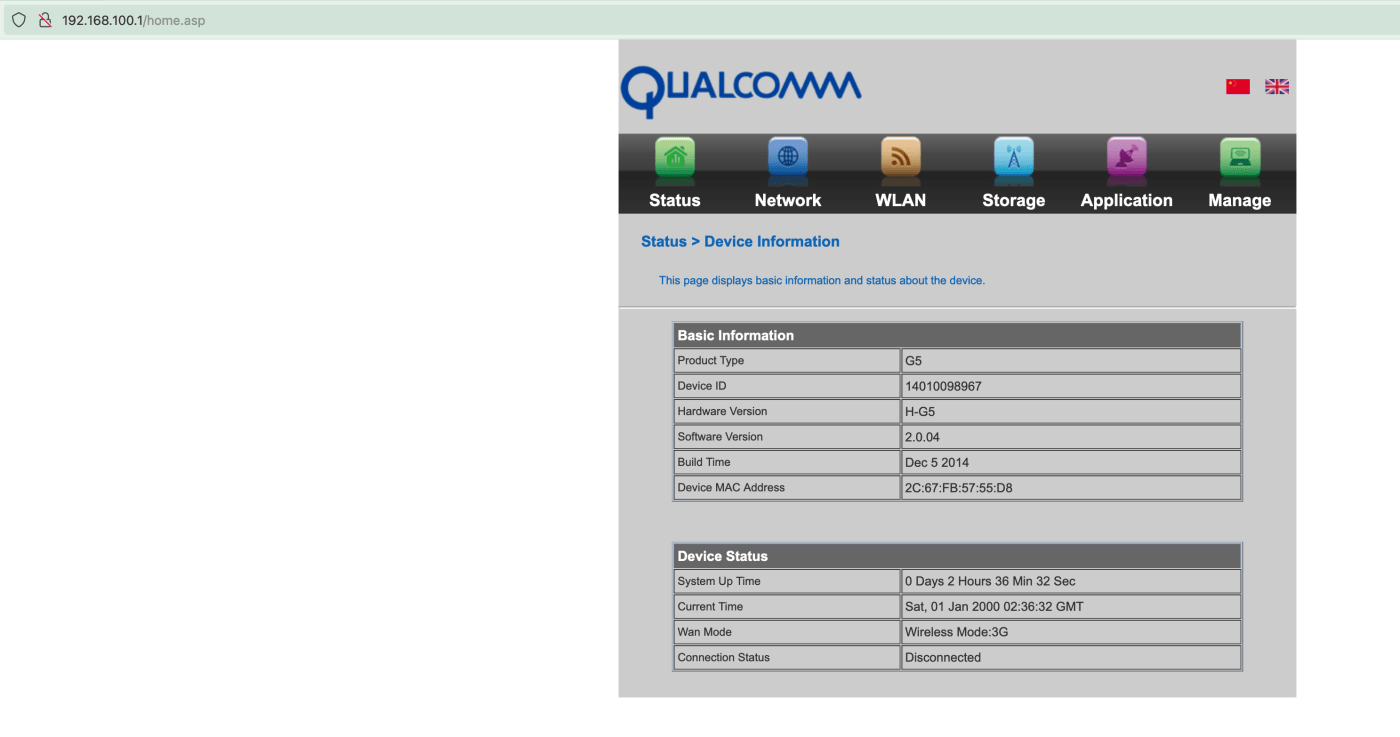
Cuando visite la URL: http://192.160.100.1 estará cargando la interfaz de administración WEB que el mini router tiene para usar.
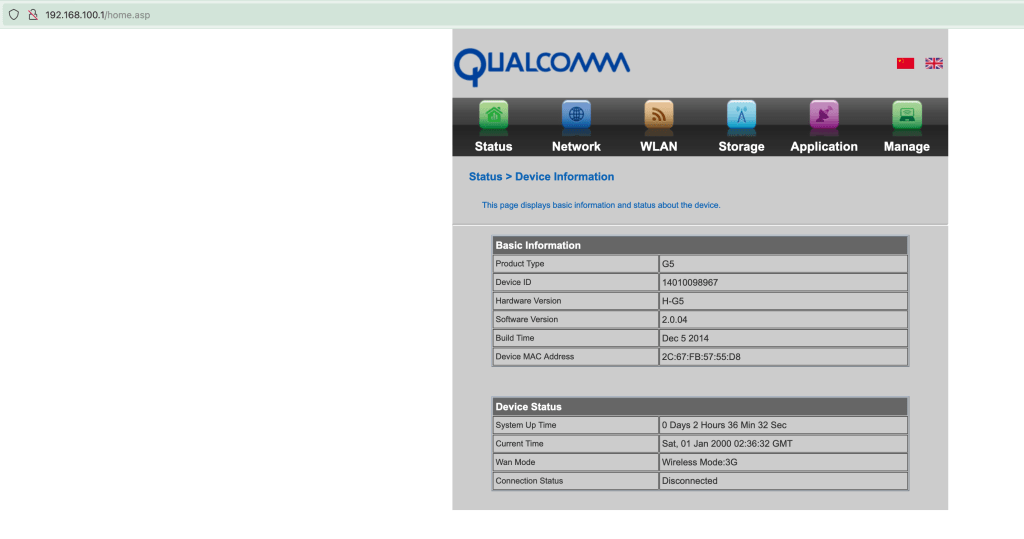
El proceso encargado de este servicio se denomina /bin/goahead.
# ps -awx | grep goahead
  648 admin     2824 S    /bin/goahead
# ls -l /proc/648/fd/3
lrwx------    1 0        0              64 /proc/648/fd/3 -> socket:[1980]
#
Observe que este proceso abrio un socket, por el limitado entorno de comandos es dificil, determinar el puerto en este punto, pero abriendo el binario en un desensamblador, todo se aclarará.
Este servicio maneja la autenticación basica, la cual es validada en la cabecera Authorization vea un ejemplo de la carga de home.asp
GET /status/hiddenframe1.asp HTTP/1.1
Host: 192.168.100.1
User-Agent: Mozilla/5.0 (Windows NT 10.0; Win64; x64) AppleWebKit/537.36 (KHTML, like Gecko) Chrome/108.0.0.0 Safari/537.36
Accept: text/html,application/xhtml+xml,application/xml;q=0.9,image/avif,image/webp,*/*;q=0.8
Accept-Language: es-ES,es;q=0.8,en-US;q=0.5,en;q=0.3
Accept-Encoding: gzip, deflate
Referer: http://192.168.100.1/status/equipinfo.asp
Authorization: Basic YWRtaW46YWRtaW4=
Connection: close
Cookie: language=en
Upgrade-Insecure-Requests: 1
sec-ch-ua-platform: "Windows"
sec-ch-ua: "Google Chrome";v="108", "Chromium";v="108", "Not=A?Brand";v="24"
sec-ch-ua-mobile: ?0
Lo que indicaría que todo esto se consume a traves de una autenticación.
Descargue /bin/goahead e Identifique información general del binario.
goahead: ELF 32-bit LSB executable, MIPS, MIPS-II version 1 (SYSV), dynamically linked, interpreter /lib/ld-uClibc.so.0, stripped
La salida del comando file proporciona información que ayudará. apreparar el entorno, asi que descargue este binario en su maquina para posteriormente abrir en un desemsamblador de su comodidad.
Esto ha sido todo en la parte 2, se ha hecho una pequeña exploración de los servicios TELNET y HTTP no te pierdas la parte 3 donde empezará a realizar una exploración del servicio HTTP ofrecido por el binario personalizado /bin/goahead y la identificación de vulnerabilidades de la vida real.
siempre puedes invitarme un cafe si lo deseas en https://exploitwriter.io/donaciones/ .
Saludos @sasaga92 Happy Hacking.
 ExploitWriter | Researching - Pentesting - Hacking
Deja un comentario